 Here it is





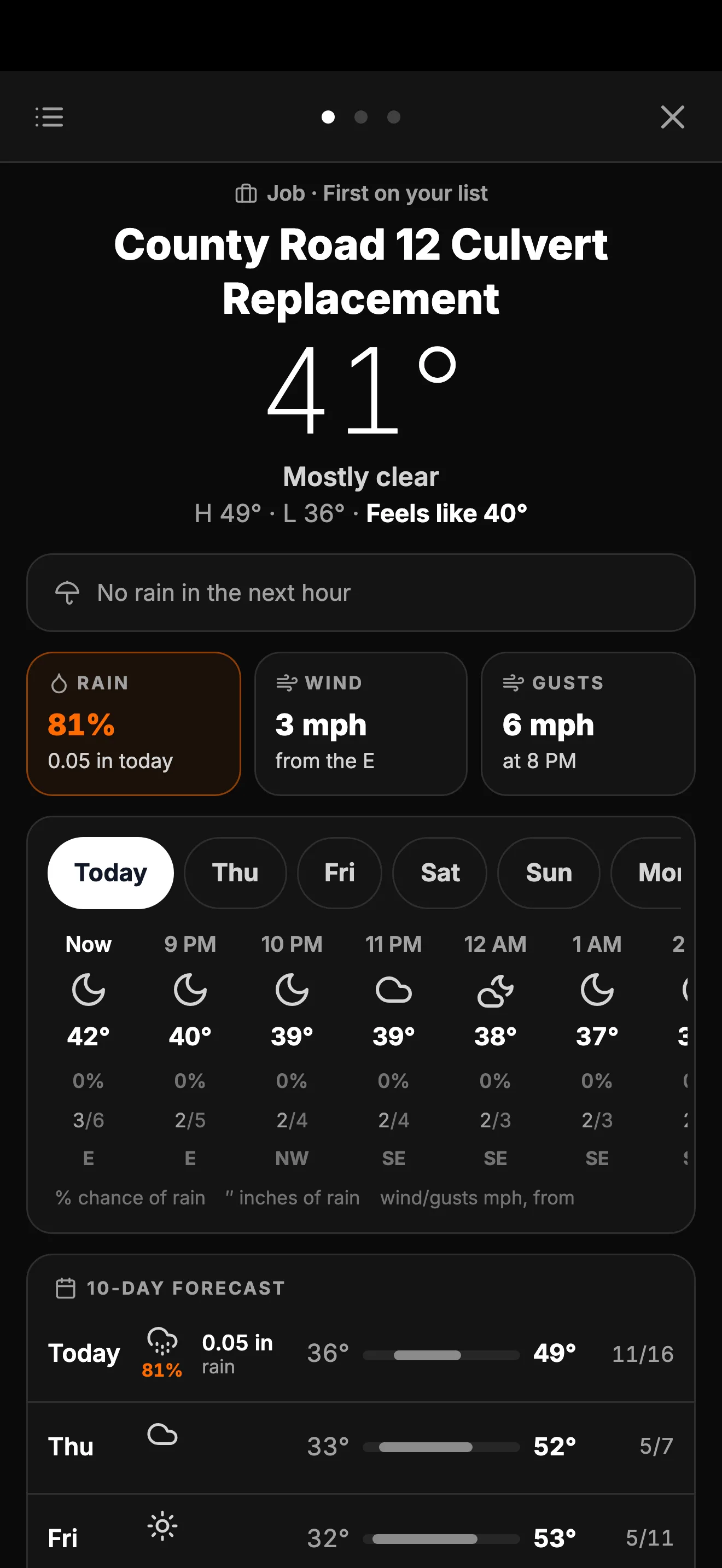
Weather on every job.
Each hour and the next 10 days, for each job you’re on. Rain, wind and gusts, right in the top bar.
On the web now at app.parli.io. In the iPhone and Android apps with the next update.
On the computer
Every job, side by side.
Your jobs down the side and the full forecast next to them. Tap a job to see its weather.
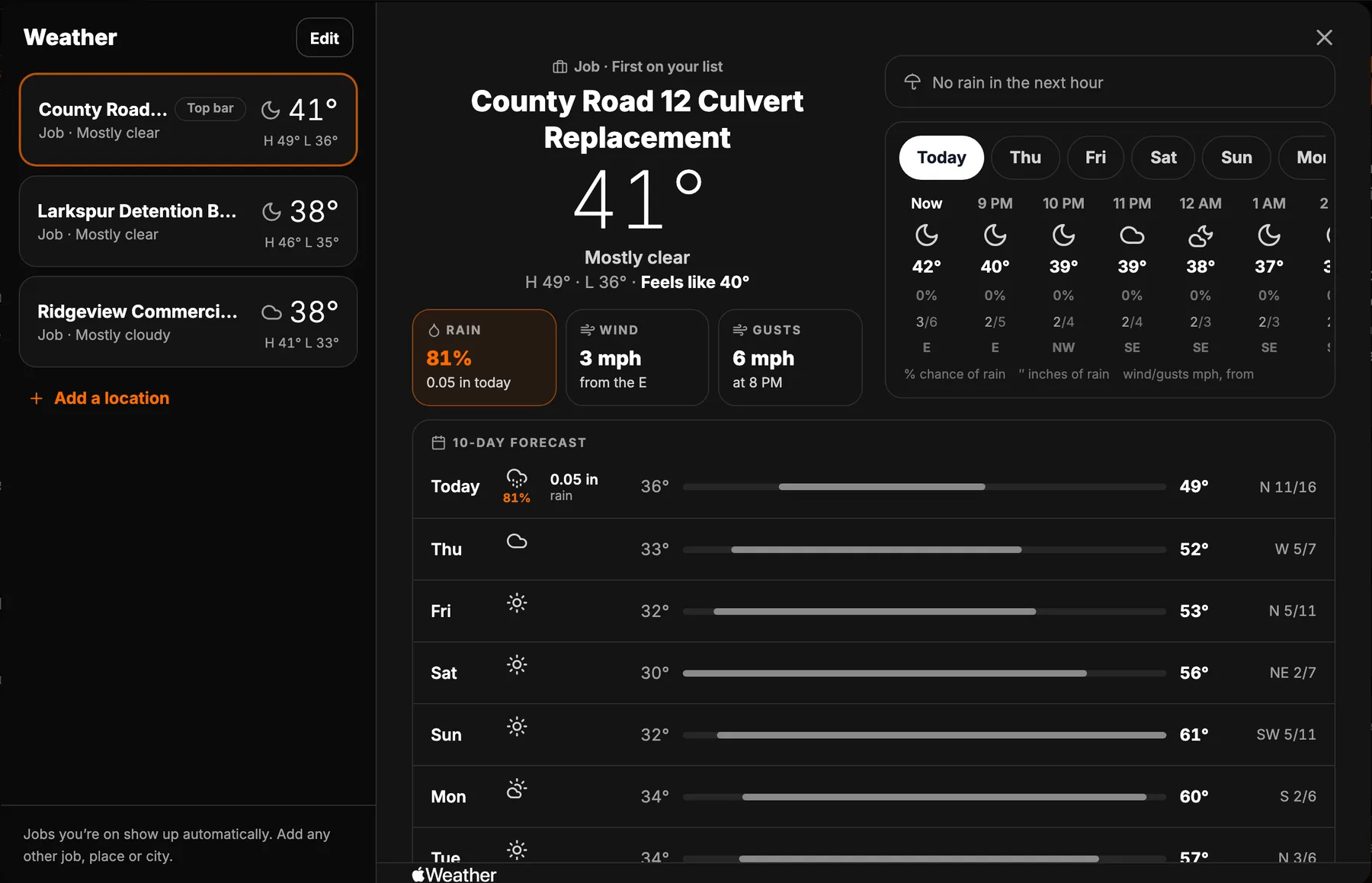
Forecasts from Apple Weather. The sample screens show a demo company.
Your list
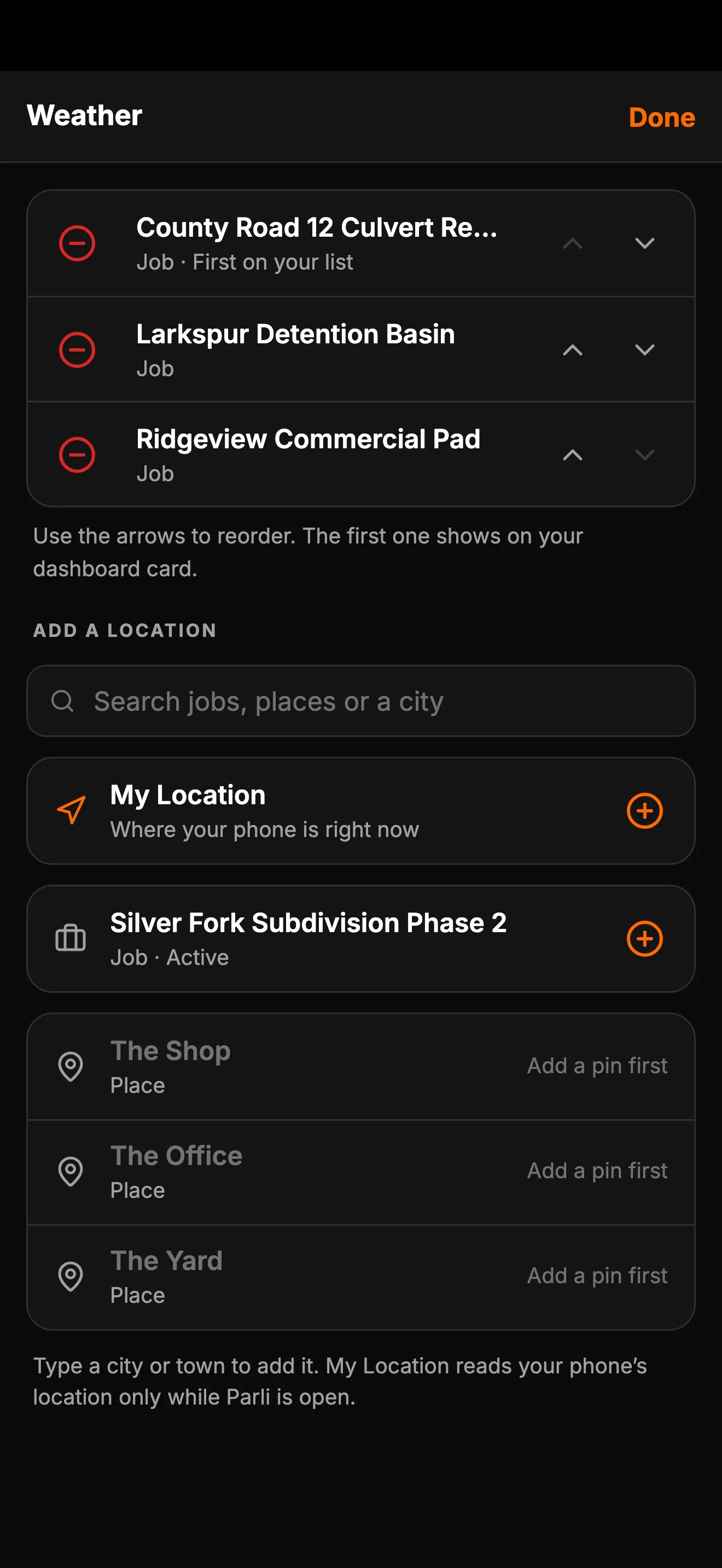
Your jobs add themselves.
Get put on a job and it joins your list. It leaves when the job finishes. Add any other live job, a city or your location, and put them in order.
Dashboard
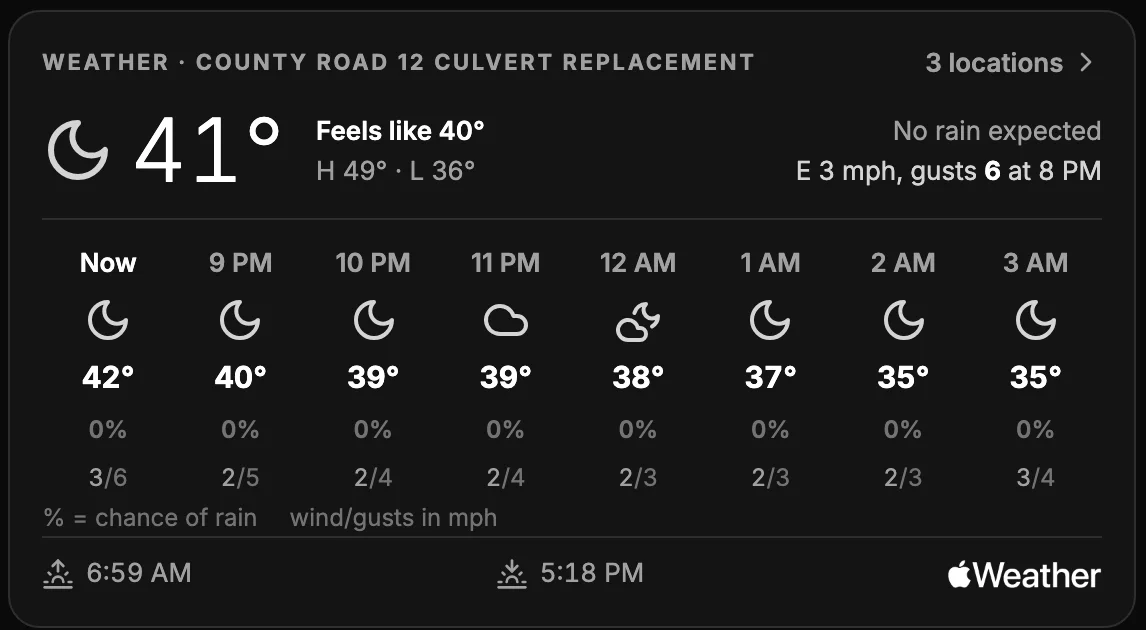
On your dashboard.
The first job on your list gets a card: now, the next hours, sunrise and sunset.
Notifications
Four weather notifications.
Each person picks their own in settings.
Severe weather
Warnings and advisories from the National Weather Service.
Rain starting soon
About 10 minutes ahead, where you’re clocked in.
Gusts over your limit
The morning of, at 6 AM.
Frost and freeze
The evening before, at 6 PM.
Everything included
What's in Weather
Each hour
Temperature, chance of rain, rain amount, wind and gusts, hour by hour.
The next 10 days
Highs, lows, rain and wind for each day.
In the top bar
The temperature stays at the top of Parli. Tap it for the full forecast.
On the dashboard
A weather card with the next hours, sunrise and sunset, and how many locations you follow.
Your jobs, on their own
Jobs you’re on join your list, and they leave when the job finishes.
Any job, any city
Add any live job, any city or your location. Put them in the order you want.
Severe weather alerts
Warnings and advisories from the National Weather Service.
Rain starting soon
About 10 minutes ahead, where you’re clocked in.
Gusts over your limit
Set your limit and hear about it at 6 AM that morning. Off until you turn it on.
Frost and freeze
A notification at 6 PM the evening before. Off until you turn it on.
°F or °C
°F is the default. Wind is always in mph.
On every plan
Weather comes with every plan, Free included.
Questions
Common questions
Where does the forecast come from?
Apple Weather. Severe weather alerts are from the National Weather Service.
Which jobs show up?
Jobs you’re on show up by themselves. Anyone can also add any live job. A job needs a pin on the map first.
What happens when a job finishes?
It leaves your list. You can add it back if you still want it.
Can I turn the notifications off?
Yes. Each one has its own switch in your settings.
Can I see weather for a place that isn’t a job?
Yes. Add any city, or your location. Your location is read only while Parli is open.
Which plans include Weather?
Every plan, including Free.
See the weather
on every job.
Free to start. Weather comes with every plan.