

 Here it is










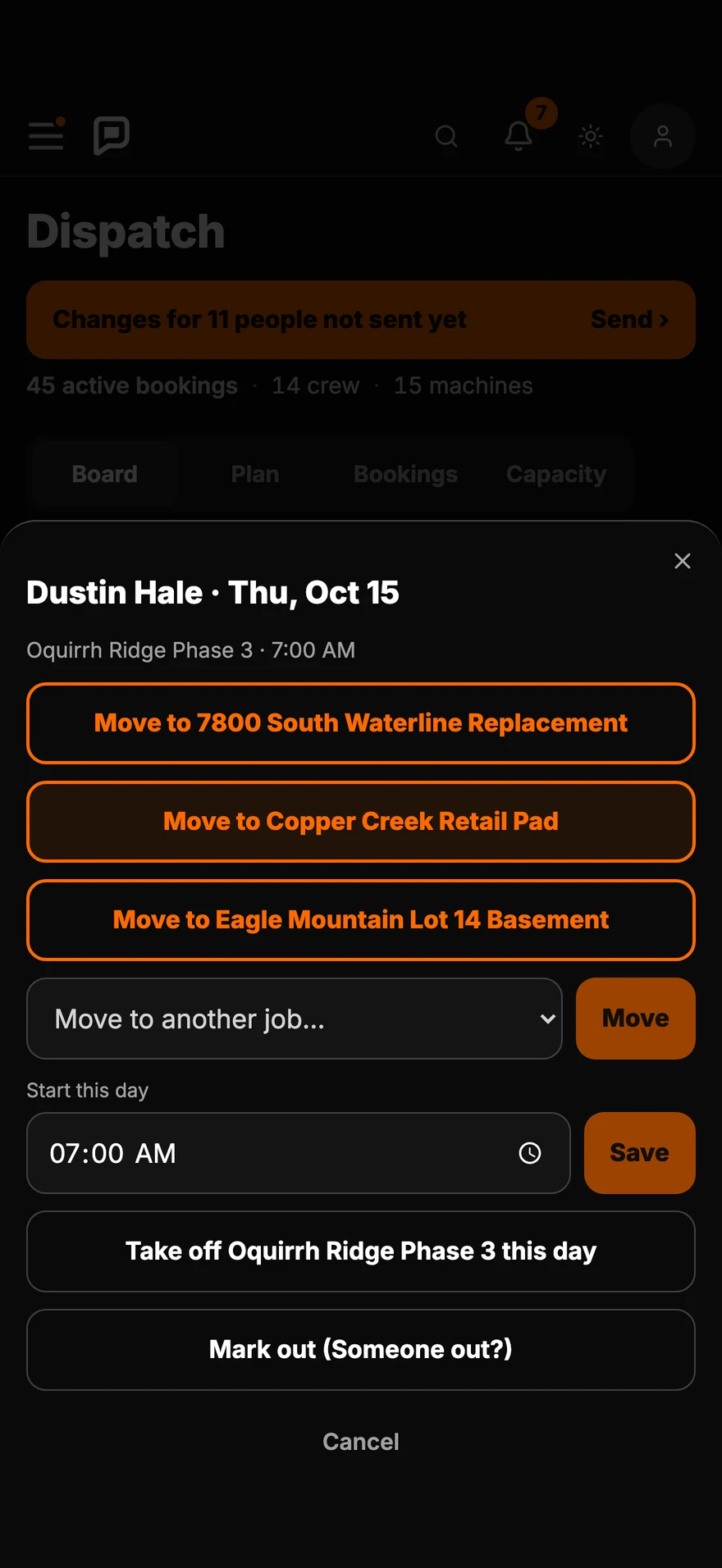
Move a person
Two taps to
move someone.
Tap a name, pick the job. Change a start time or take them off for the day.
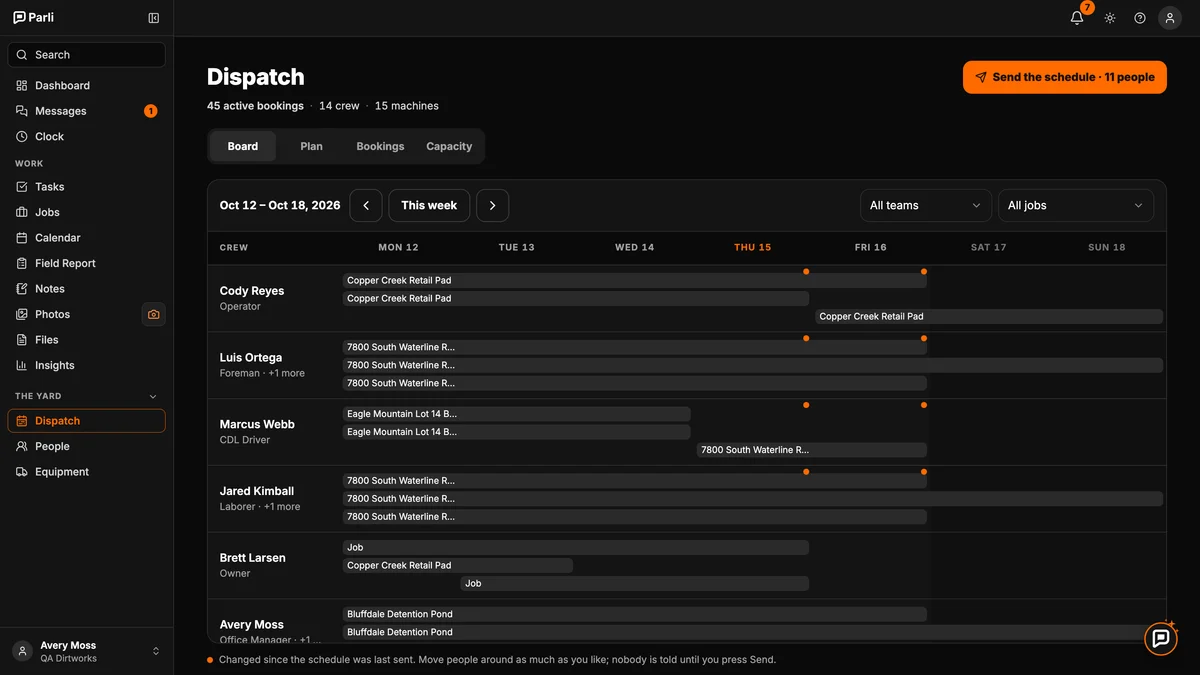
In the order the work happens on a site
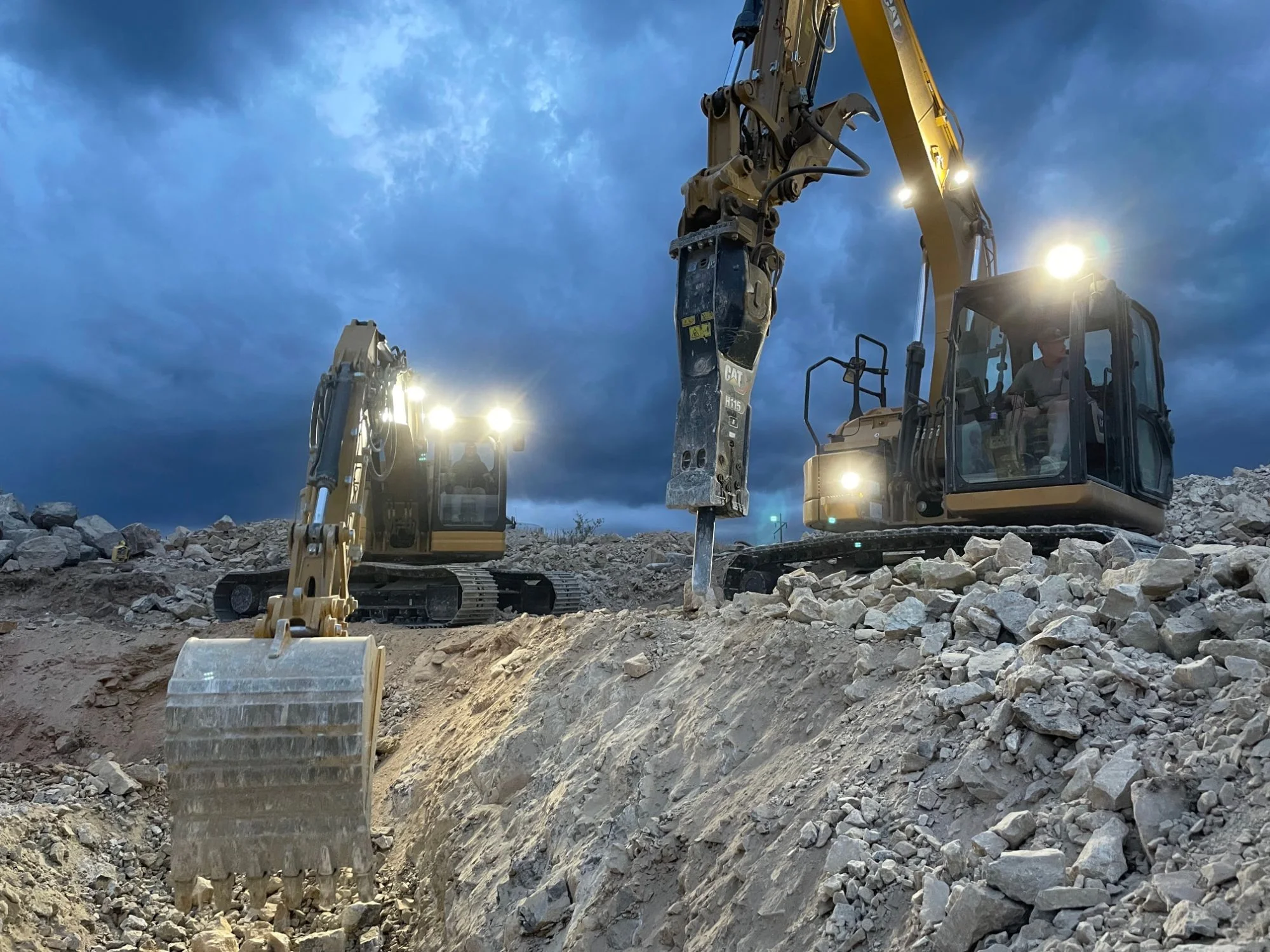
Every job's crew, machines and start times for the week. Move people with a tap, then send each person only what changed.

On the phone, too
The same board fits a phone. Move people, mark someone out and send the schedule from wherever you are.
Move a person
Tap a name, pick the job. Change a start time or take them off for the day.
Machines too
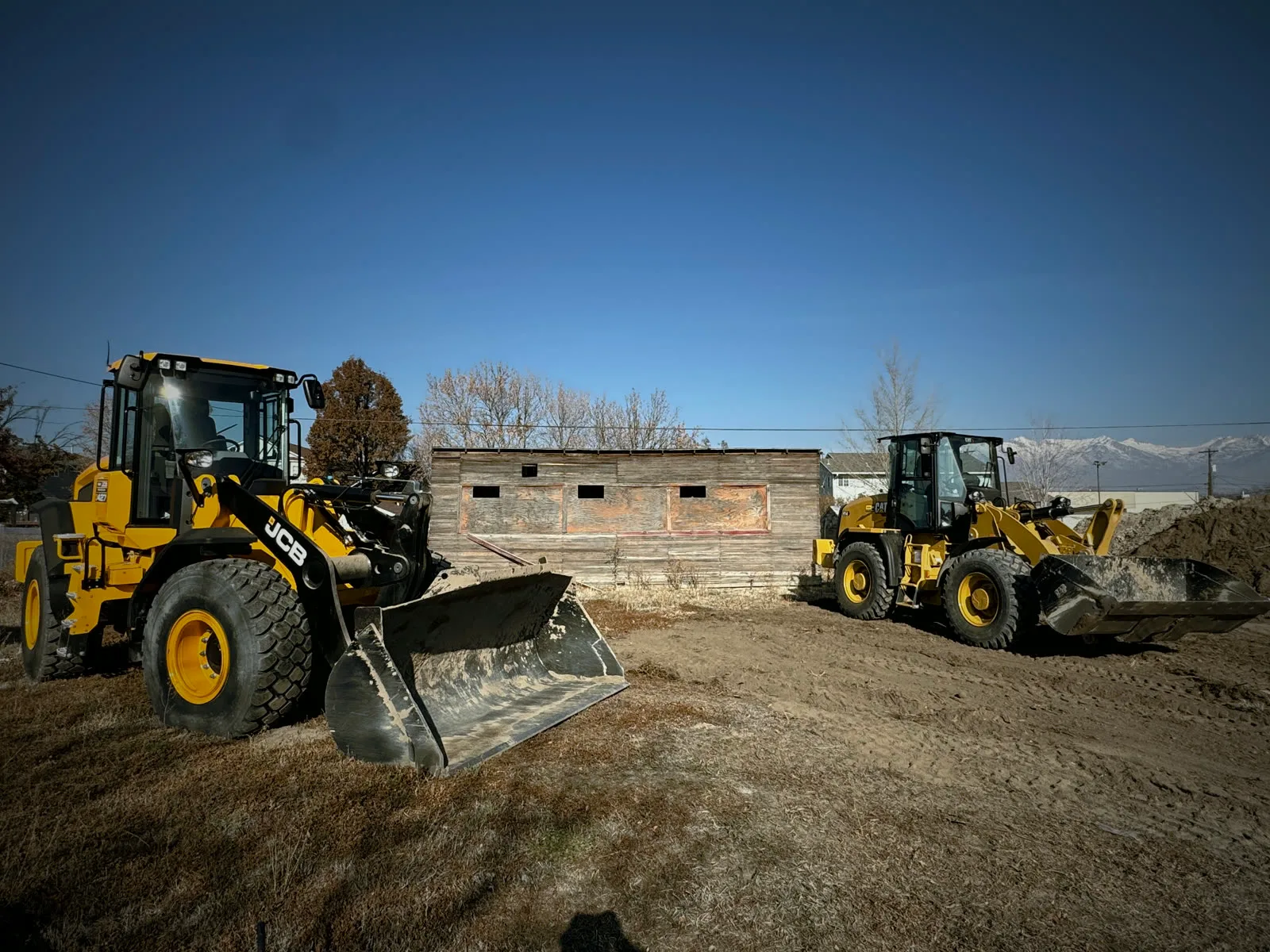
Loaders, excavators and trucks go on the board next to the people. See every machine booked on every job.
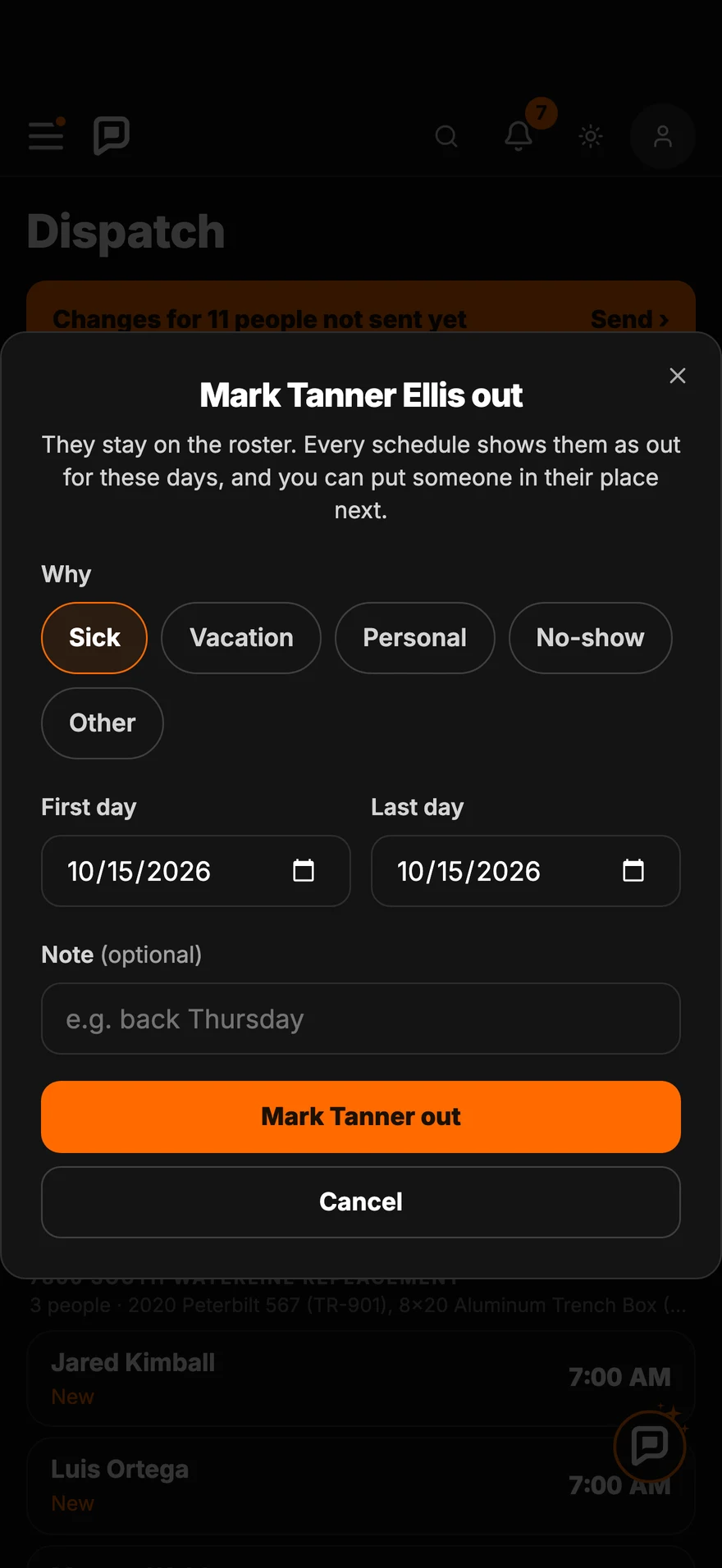
Someone out
Mark them out. Every schedule shows it, so you can put someone in their place.
Send
Each person gets one alert with only what changed for them.
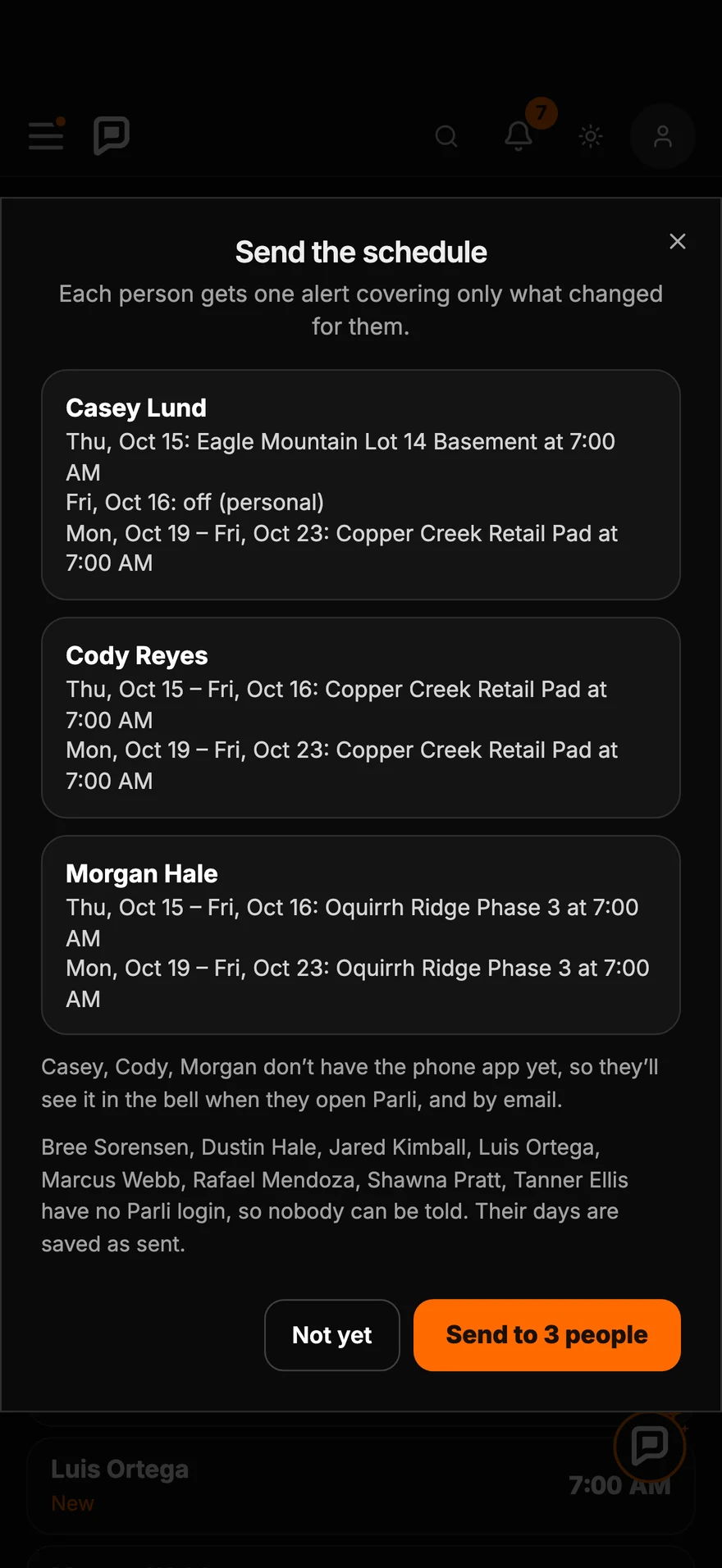
Move people around as much as you like. Nobody is told until you press Send.
On the phone
Swipe, scroll or drag. Tap one to see it full size.
Who goes where, at a glanceEvery job's crew, machines and start times for the day.
Move a crew member in two tapsTap a name, pick the job.
Someone called in sick?Mark them out, and every schedule shows it.
Send tomorrow's scheduleEach person gets only what changed for them.
Who's where. What's where.Every person and machine booked on every job today.
Find cover in a tapParli shows who's free, starting with the crew already on that job.
Read the board
On the computer
Every screen at full size. Tap one to open it.
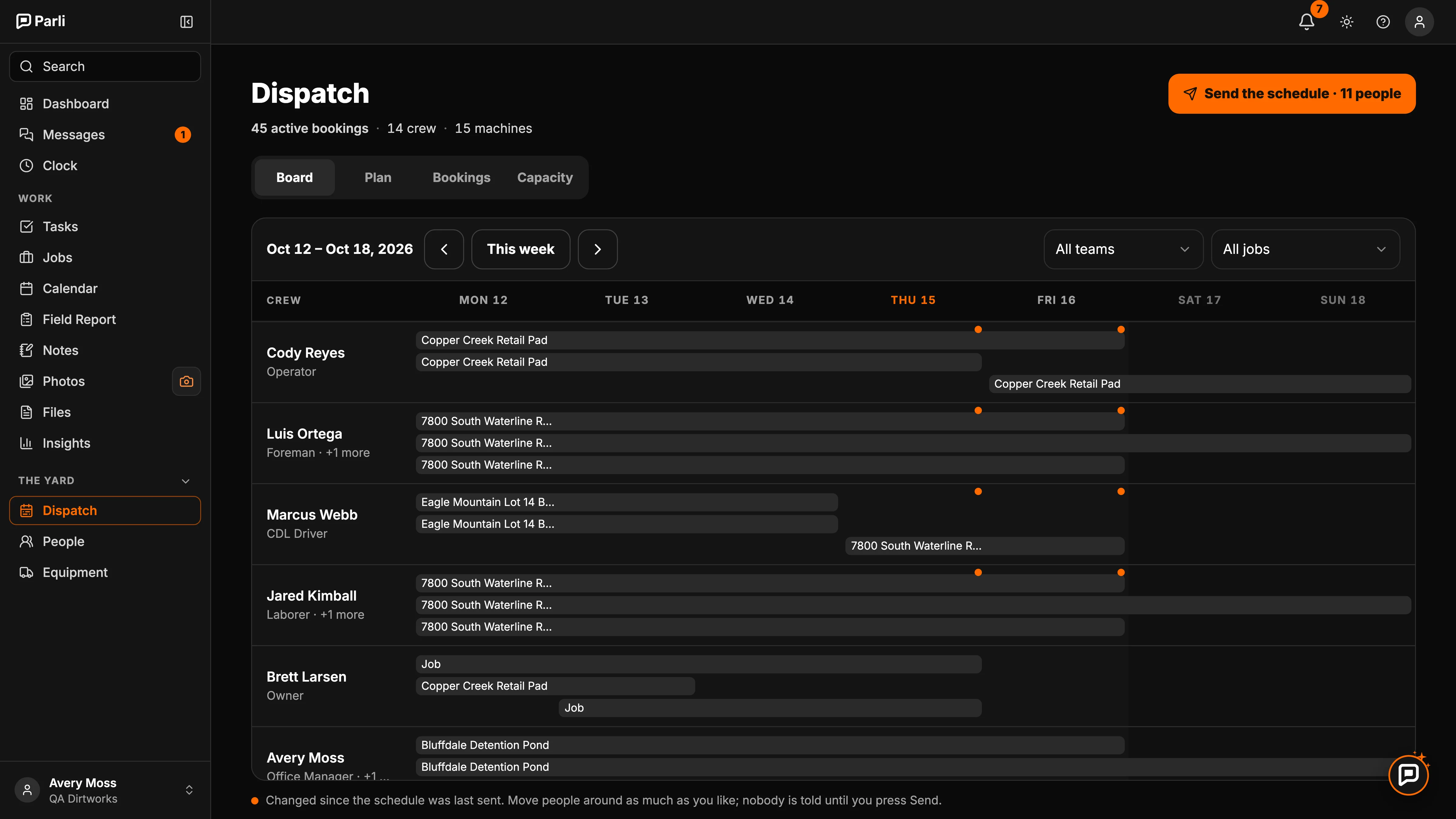
The week boardEach person in a row, each job a bar. Orange dots mark what changed since the last send.
Send the scheduleA preview of exactly what each person will be told before anything goes out.
Everything included
Each person in a row and each job as a bar, Monday through Sunday, filtered by team or job.
The same day on a phone, grouped by job, with who's out and who isn't booked yet.
Tap a name to move them to another job, change their start time or take them off that day.
Sick, vacation, personal or no-show. Every schedule shows them out for those days.
Parli suggests who is free, starting with the crew already on that job.
Book excavators, loaders, trucks and trailers with the crew, and see where each one is.
An orange dot marks every change since the last send, so you know who still needs to hear.
One tap sends each person one alert with only what changed for them. Anyone without the app gets an email.
See exactly what each person will be told before anything goes out.
Questions
Nobody, until you press Send the schedule. Then each person whose days changed gets one alert covering only their changes. Anyone without the phone app gets it by email.
Yes. Machines book onto jobs the same way people do, so you can see where every excavator, loader and truck is booked.
Mark them out with a reason. They stay on the roster, every schedule shows them out for those days, and Parli suggests who can cover, starting with the crew already on that job.
Yes. The phone board shows each job's crew for the day. Tap a person to move them, change their start time or take them off that day.
Crew members see their own schedule: where they're going, when to start and who they're working with.
Free to start. Add your crew, your machines and your jobs.
Jobsite and machine photos on this page are from real jobs in Utah. Screens are from the Parli app.