

 Here it is










Clock infrom the job.
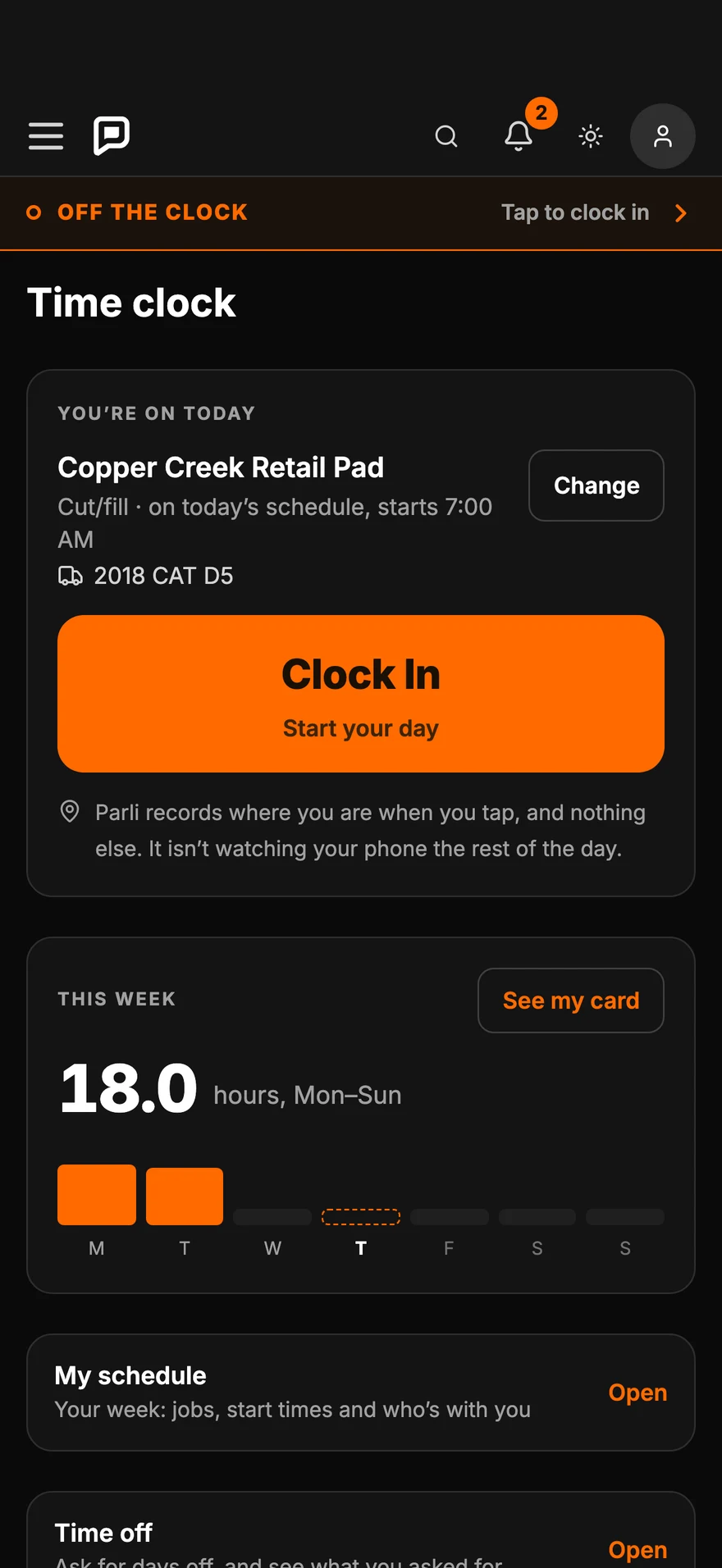
One tap on the phone starts the day. Today's job is already picked from the schedule, and it works with no signal.
One day on the clock
From the first tap
to the approved week.
- 6:56 AM · At the job
Clock in.
One tap.Today's job, cost code and machine are already picked from the schedule. Parli notes where you were when you tapped, and nothing after.
- 6:58 AM · No signal
Still on
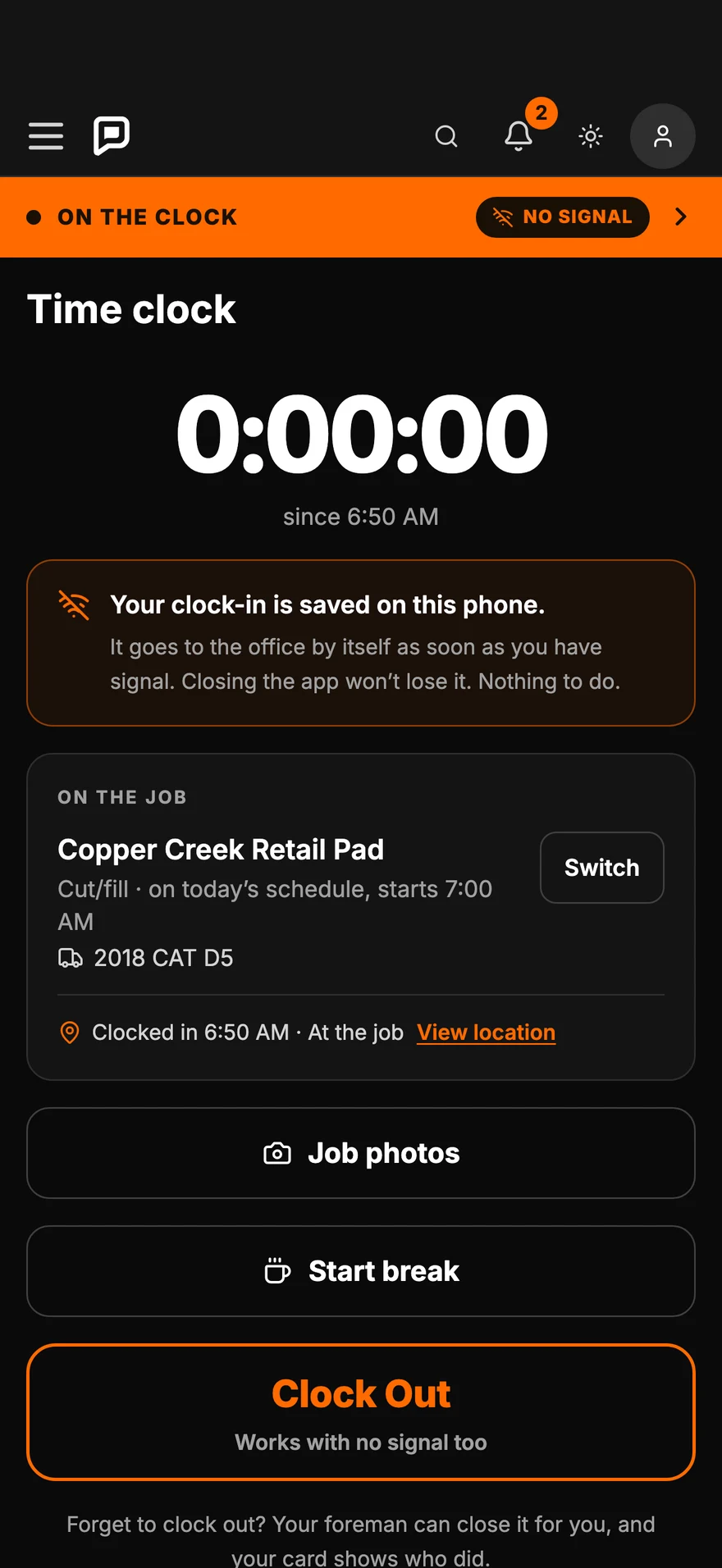
the clock.The clock-in saves on the phone and goes to the office by itself when the signal comes back. Closing the app won't lose it.
- 6:59 AM · The foreman
Clock in
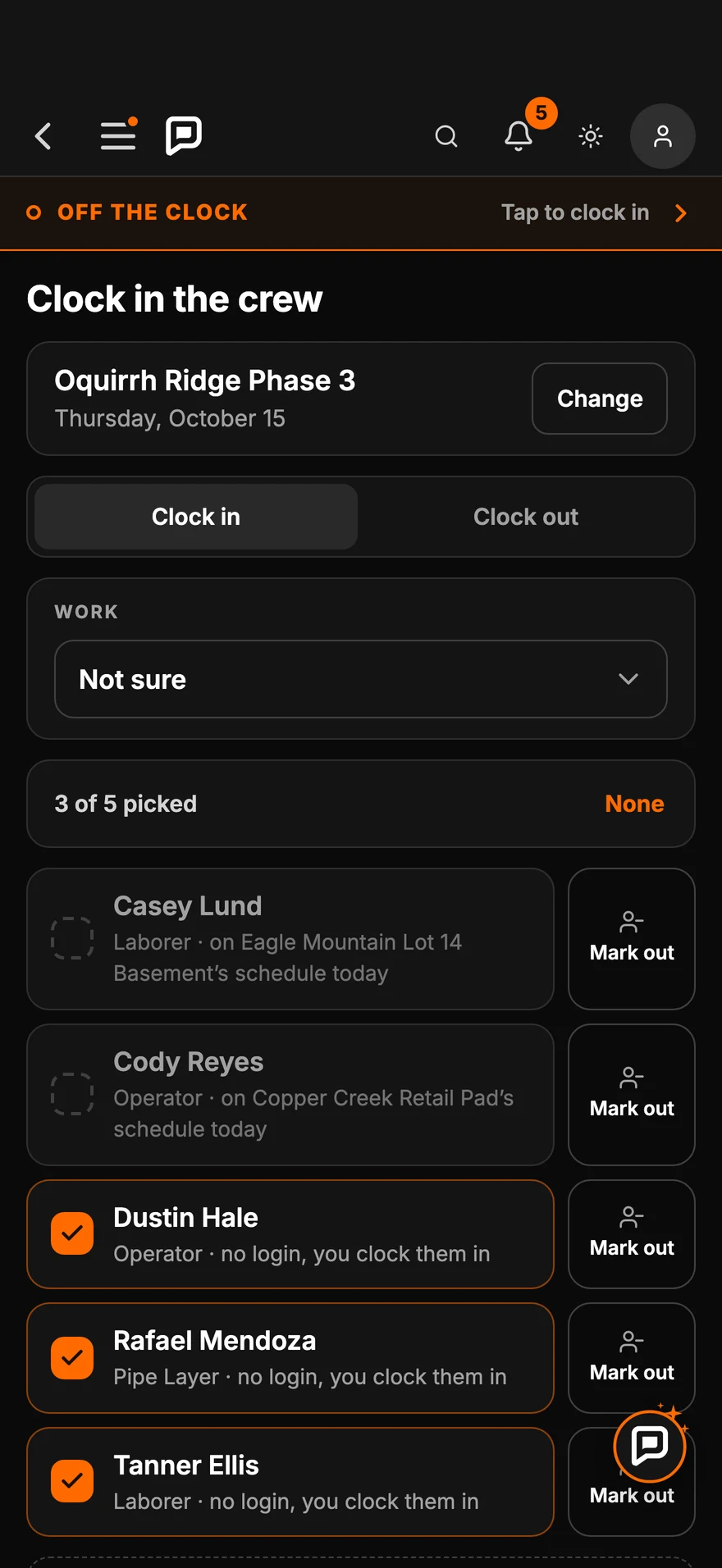
the crew.The foreman checks off who showed up and clocks them all in at once. The crew doesn't need a login for that.
- 4:12 PM · Clock out
The card
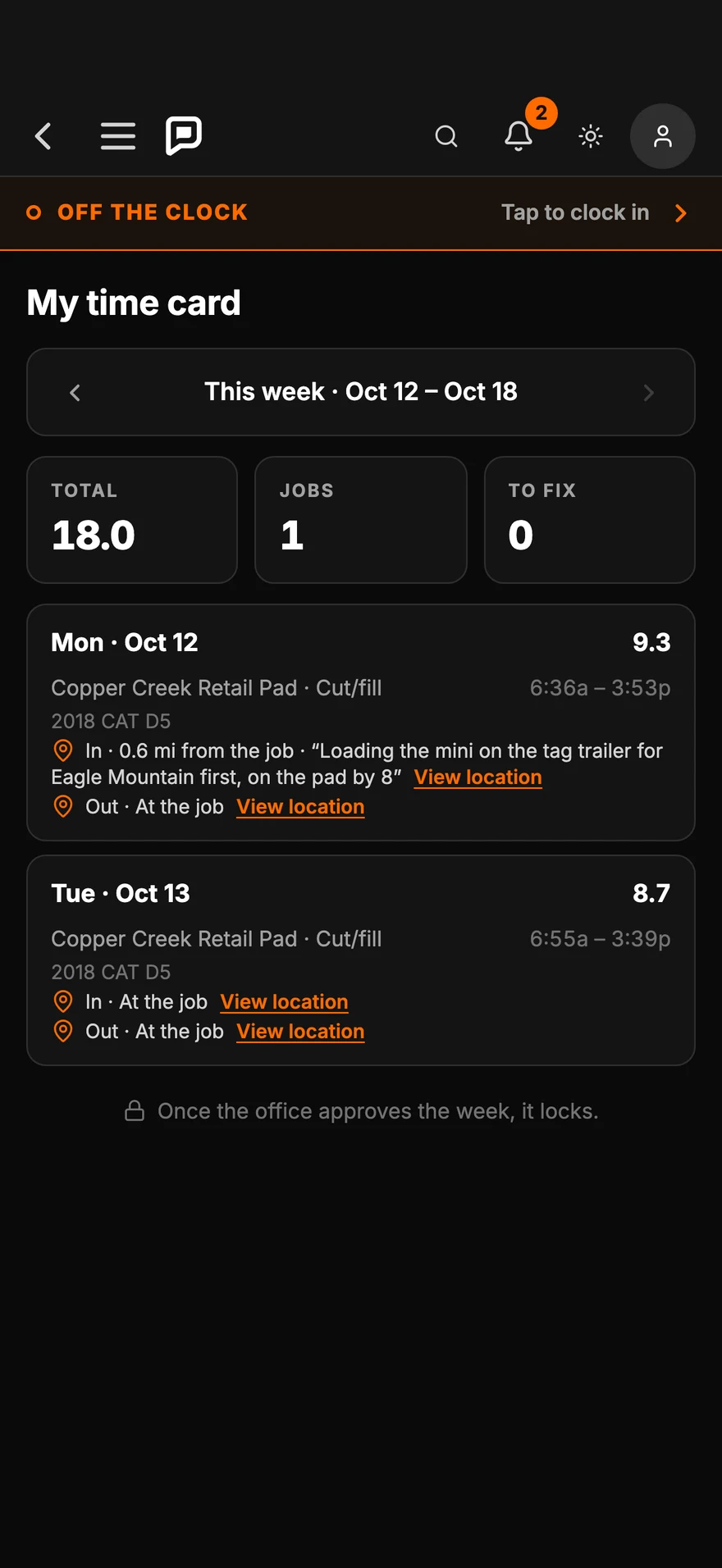
fills itself.Every punch with the job, the machine and where it was made. The week's hours add up on the crew member's phone.
- Friday · The office
Approve
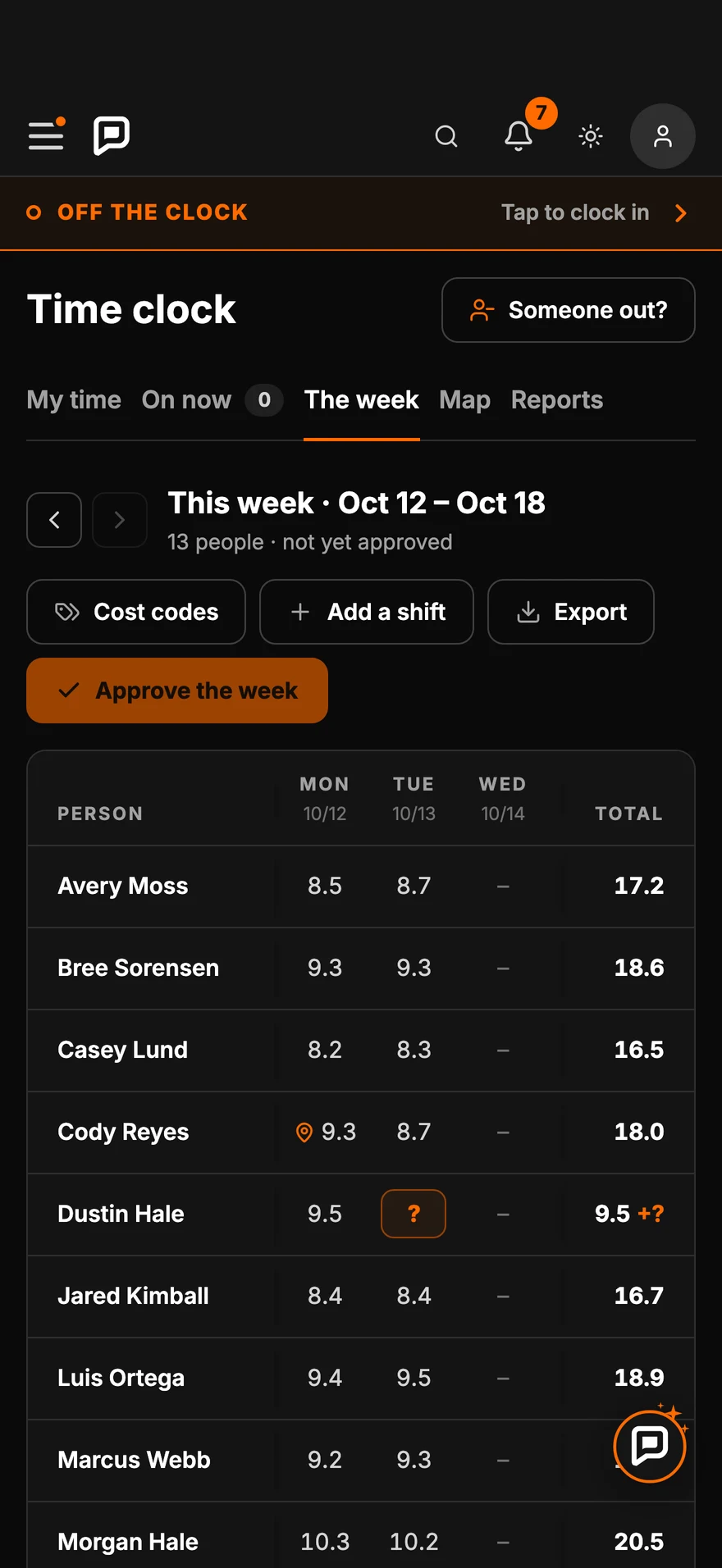
the week.Every hour added up by person, with overtime and forgotten clock-outs flagged. Fix what needs a look, then approve.
On the phone
Every screen
the crew sees.
Swipe, scroll or drag. Tap one to see it full size.
-
Clock in from the jobOne tap starts the day. Today's job is already picked.
-
Clock in the whole crewThe foreman checks off who's there and clocks them in at once.
-
Your hours, in your pocketEvery punch with the job, the machine and where you were.
-
No more Sunday night timesheetsHours added up by person. Approve the week in one tap.
-
No signal? Clock in the crew anywayPunches go to the office by themselves once there's signal.
-
Dead zone? Nothing's lostClosing the app won't lose a clock-in.
-
One tablet in the shopThe crew taps their name to clock in. No phone needed.
-
Their own PINA four-digit PIN each, so nobody clocks in for a buddy.
-
Pick the jobThe hours go to the right job.
-
Clocked inThe office sees it right away.
-
Clock out on the way homeThe tablet asks first, so nobody clocks out by accident.

Works with no signal
No bars at the pit?
It still clocks you in.
Punches wait on the phone and send themselves when there's signal again. Nobody has to remember to do anything.
In the office
The same clock
on the computer.
Full size, so you can read every number. Tap one to open it.
-
The week, everyone on one screenHours by day for the whole crew, with notes for anything that needs a look before you approve.
-
Any time card, any weekEvery punch with its job and where it was made. Tap a time to fix it, with a reason.
-
Clock in the crew from any screenPick the job, check off who is there, and clock them in together.
Everything included
What's in the time clock
Clock in from the phone
One tap at the job. The job, cost code and machine come from the schedule.
Clock in the crew
Foremen check off who showed up and clock everyone in at once, with or without a login.
Shop tablet
A tablet in the shop where each person taps their name and enters a four-digit PIN.
Works with no signal
Punches save on the phone and send themselves once there's signal.
One location per punch
Parli notes where a punch was made, when it was made. It never tracks anyone between punches.
Crew start times
Set each crew's start and quit times. An early clock-in counts from the start time unless they say they're working.
Overtime by state
Pick your state's overtime rule in setup. The office and the foreman get an alert as someone gets close.
Missed clock-outs flagged
Forgotten clock-outs land on a Needs a look list, and the crew gets a reminder to clock out.
Change a time, with a reason
The office fixes a punch and says why. The crew member is told, and the original stays on record.
Time off requests
The crew asks in the app. The foreman or the office answers, and the schedule shows them out.
Approve and lock the week
One approval locks the week. Reopen it with a reason if something has to change.
Reports and export
Hours by person, job, cost code and overtime, plus time off. Print them or export a spreadsheet.
Questions
Common questions
Does the time clock work without cell signal?
Yes. A clock-in or clock-out saves on the phone right away and goes to the office by itself when the phone finds signal again. Closing the app won't lose it.
Does Parli track my crew's location all day?
No. Parli records one location when someone taps clock in or clock out, so the office can see the punch was made at the job. It doesn't follow anyone between punches, and it never blocks a punch because of where someone is.
Can a foreman clock in crew members who don't have a login?
Yes. On Clock in the crew, the foreman picks the job, checks off who is there and clocks them in together. People without a login are clocked in by name.
Can we use one tablet in the shop instead of phones?
Yes. Hang a tablet in the shop. Each person taps their name, enters a four-digit PIN and picks the job. The hours land on the same week as phone punches.
How does the office fix a wrong time?
An admin changes the punch and adds a reason. The crew member is told what changed, and the original punch stays on record. Approved weeks are locked until someone reopens them.
Does it handle overtime?
Yes. Pick your state's overtime rule in setup. Parli adds up regular and overtime hours for each person, flags anyone close to or over overtime, and can alert the office and the foreman.
Put the time clock
on every phone.
Free to start. Works on iPhone, Android and the computer.
Jobsite and machine photos on this page are from real jobs in Utah. Screens are from the Parli app.