

 Here it is










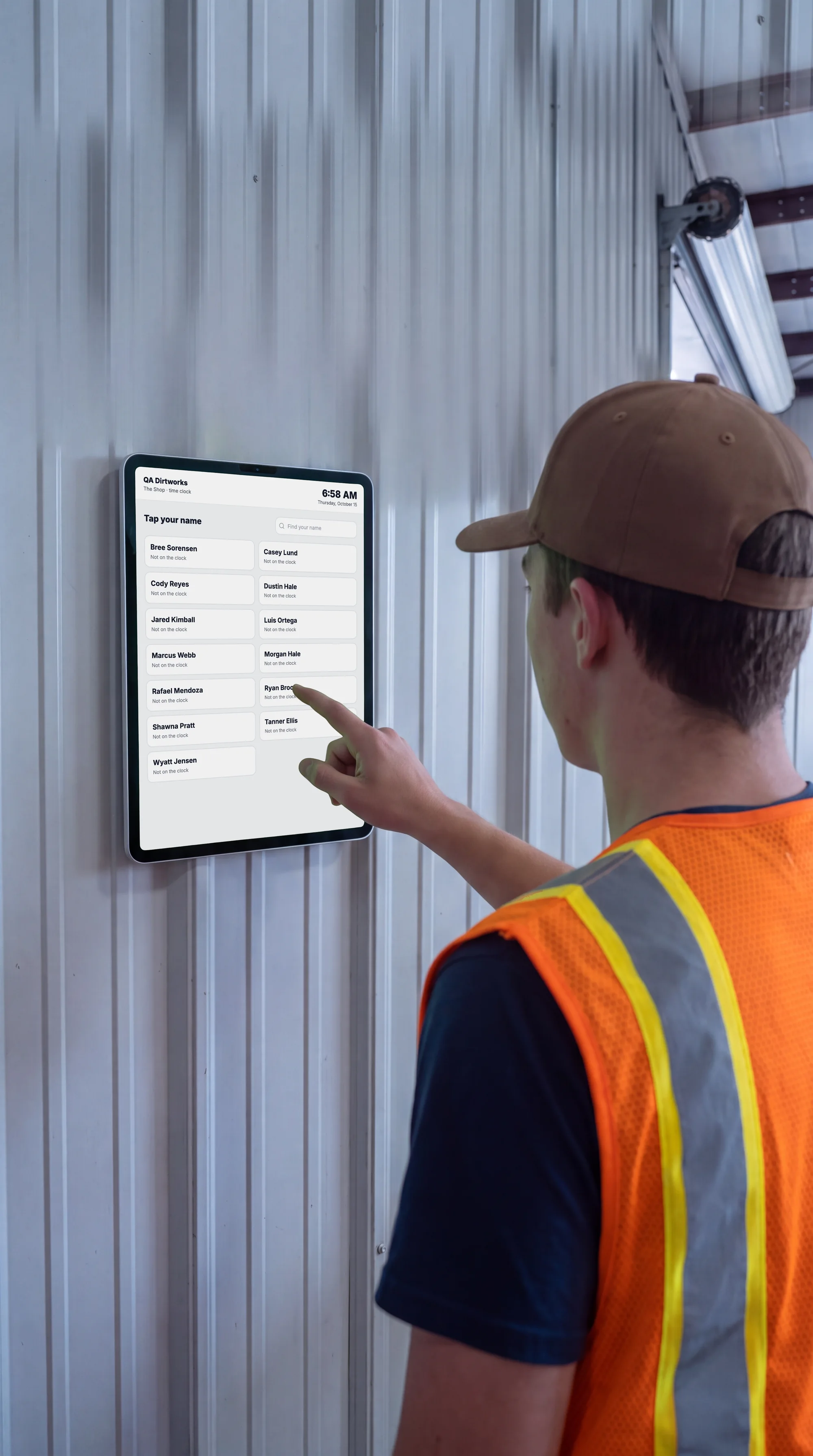
One tablet.
The whole crew.
Hang a tablet in the shop or the job trailer. Each person taps their name, enters a four-digit PIN and picks the job. No phone or login needed.
At the tablet
Four taps
and back to work.
The tablet screens
Every screen
on the wall.
Swipe, scroll or drag. Tap one to see it full size.
-
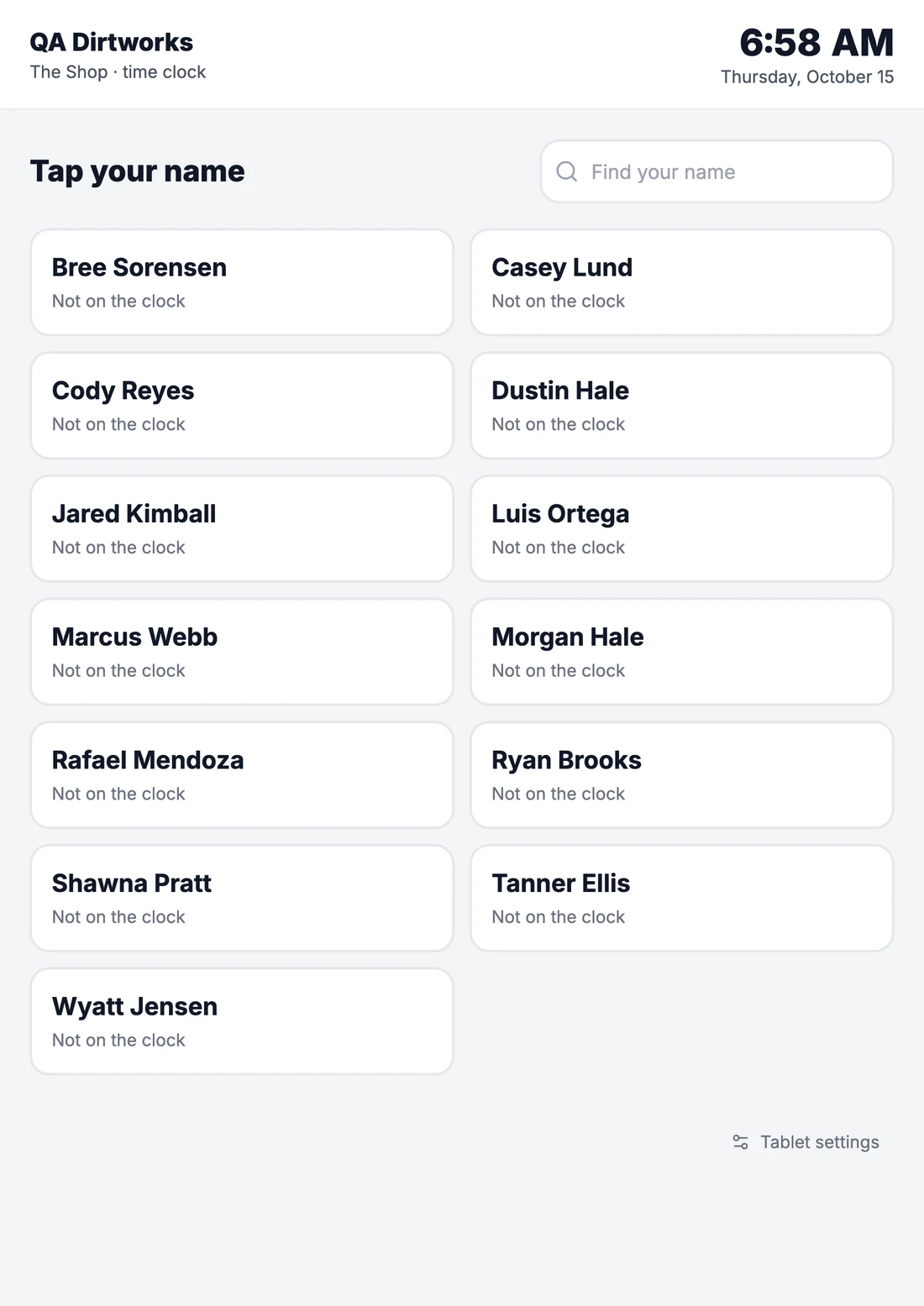
Tap your nameThe crew list, with who's already on the clock.
-
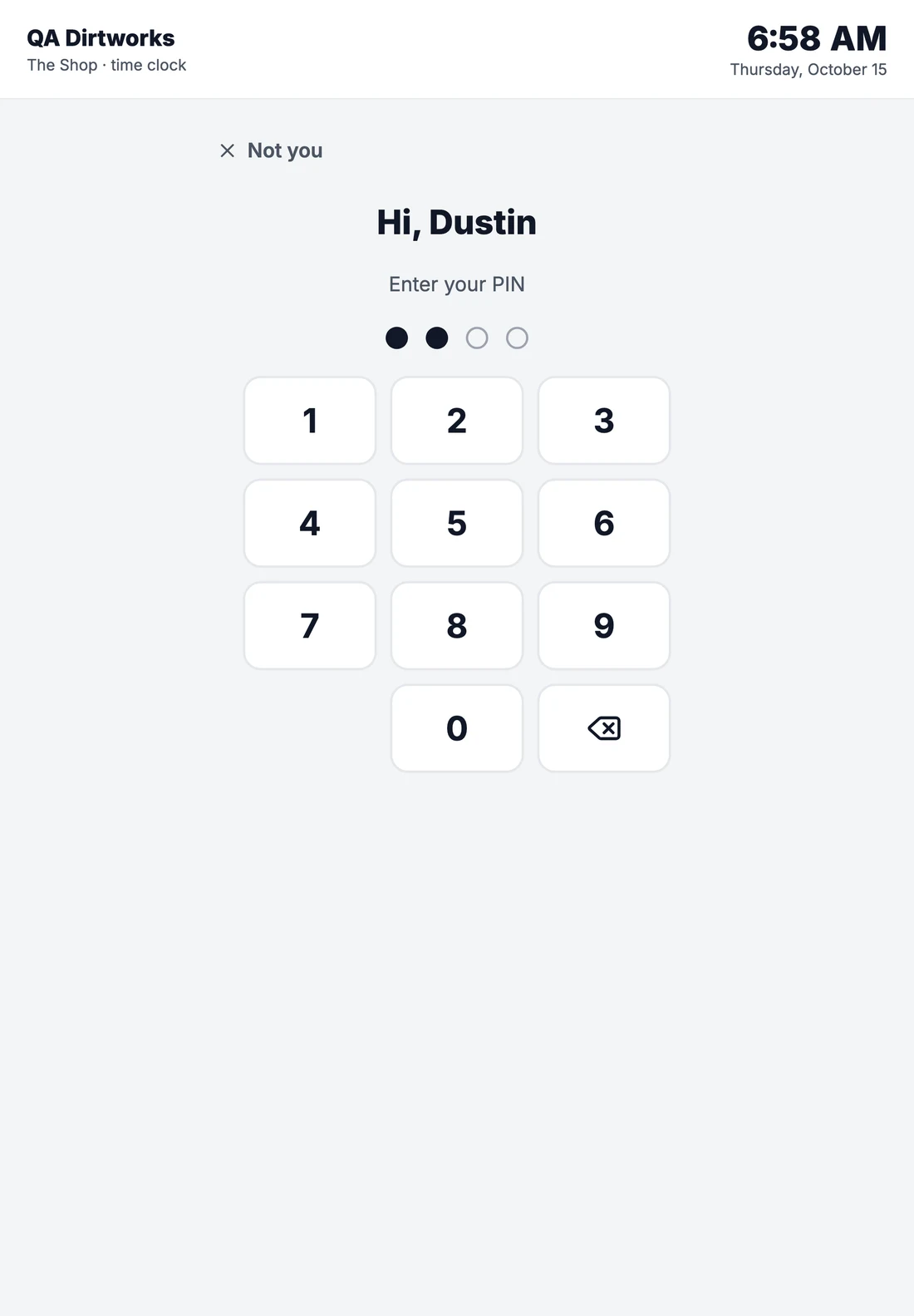
Enter your PINFour digits, only for this company.
-
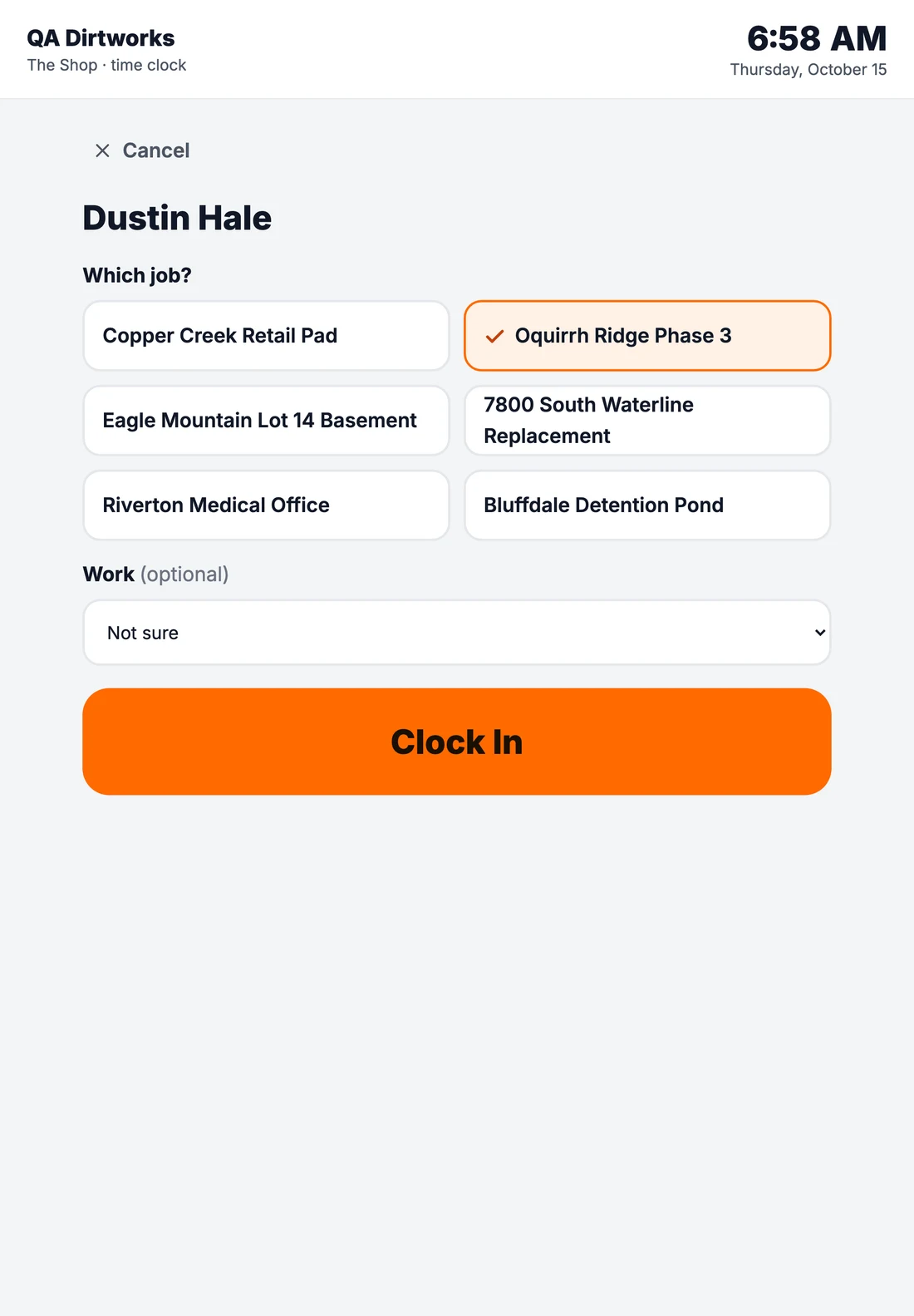
Pick the jobToday's job comes first, from the schedule.
-
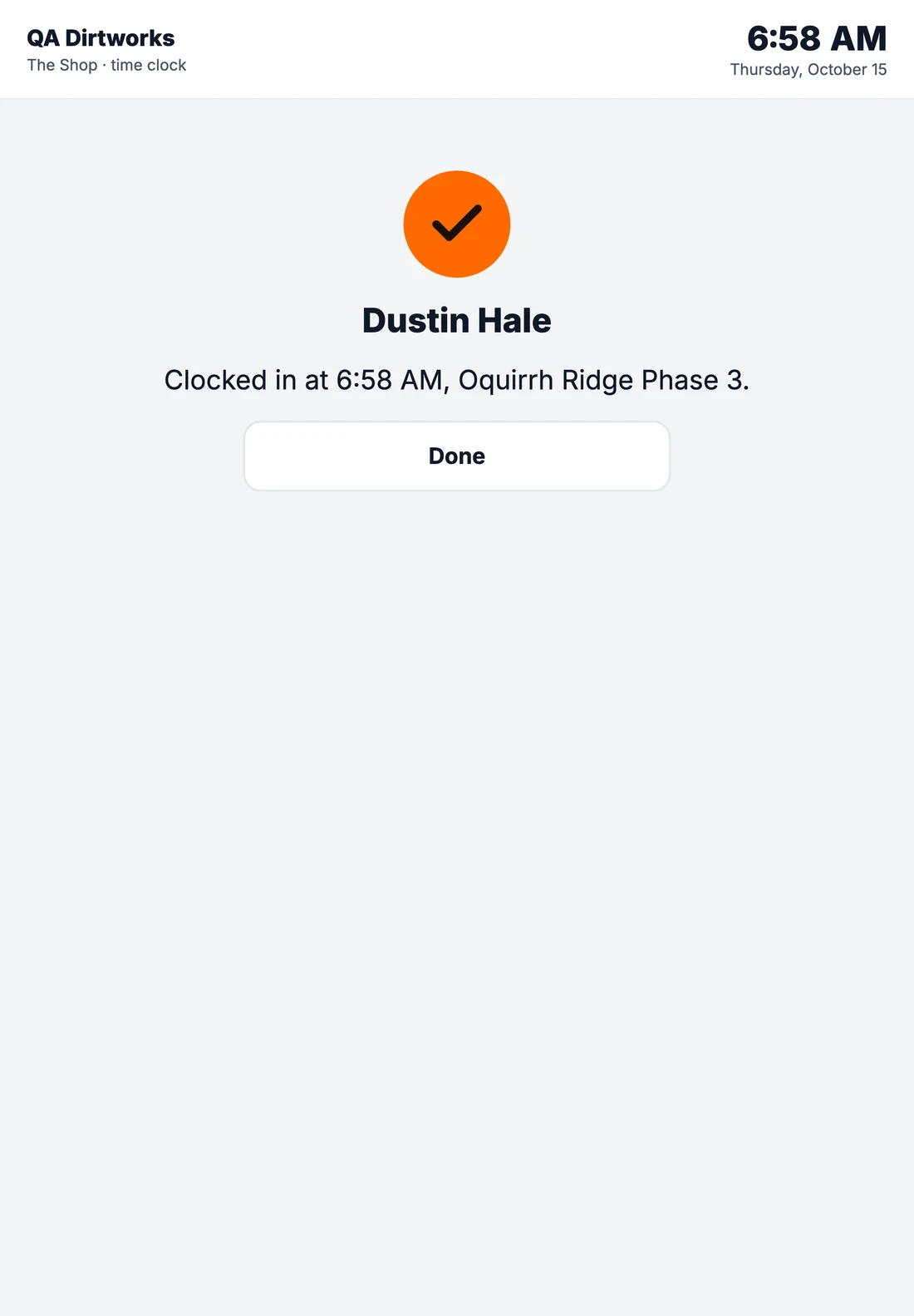
Clocked inThe time and the job, then the screen resets for the next person.
-
Clock out?The tablet asks before it clocks anyone out.
Setting it up
On the wall
before the coffee's done.
- Add a tabletIn the time clock settings, add a tablet for the shop or the job trailer.
- Type its codeOpen Parli on the tablet and type the code it gives you.
- Lock it to ParliGuided Access on an iPad, or screen pinning on Android.
- Put up the posterPrint the poster for beside the tablet, so the crew knows what it records.
Time clock
When you clock in or out here, it records your name, the time, the job, and where this tablet is.
It does not take pictures of you and does not use face recognition. It never records video or sound.
Your PIN is yours. Don't share it, and don't clock in for anyone else.
Questions: ask the office.
Time clock by Parli
The poster
Say what it records.
And what it never does.
Parli prints a poster for beside every tablet, in plain words, so nobody has to wonder what the tablet keeps.
Everything included
What's in the shop tablet
Tap your name
The crew list is on the screen. Each person taps their name to clock in or out.
A PIN for each person
Four digits, made by Parli and shown once, so nobody clocks in for a buddy.
Wrong tries pause
Five wrong PINs pause that name for a minute.
The job is picked
Today's job comes from the schedule. Set a job to pick first for anyone not on the schedule.
Clock out asks first
The tablet asks before it clocks someone out, so nobody does it by accident.
No phone or login needed
Crew without a phone or a Parli login clock in on the tablet.
Same week as the phones
Tablet punches land on the same time card and week as phone punches.
Pair it with a code
Add a tablet in the time clock settings, then type its code on the tablet.
A poster for the wall
Print a poster for beside the tablet that says what it records and what it never does.
Questions
Common questions
Do crew members need a phone or a login?
No. Anyone on your roster can clock in on the tablet with their name and PIN.
How do PINs work?
Parli makes a four-digit PIN for each person and shows it once. A PIN only clocks in and out on your company tablets. Five wrong tries pause that name for a minute.
How do I set up a tablet?
Add a tablet in the time clock settings. On the tablet, open Parli and type the code it gives you. Lock the tablet to Parli with Guided Access on an iPad or screen pinning on Android.
What does the tablet record?
Each clock-in and clock-out records the person's name, the time, the job, and where the tablet is. It does not use face recognition, and it never records video or sound.
Do tablet punches show up with phone punches?
Yes. They land on the same time cards and the same week, ready for the office to approve.
Seen in the shop
The tablet
in action.
Swipe, scroll or drag. Tap one to see it full size.
-
One tablet. The whole crewThe crew taps their name to clock in, no phone or login needed.
-
Their own PIN. Their own timeA four-digit PIN each, so nobody clocks in for a buddy.
-
Pick the job. Clock inToday's job is already picked.
-
Clocked in. Get to workThe tablet shows the time and the job.
-
Clock out on the way homeThe tablet asks first, so nobody clocks out by accident.
One tablet.
The whole crew.
Free to start. Any iPad or Android tablet.
Jobsite and machine photos on this page are from real jobs in Utah. Screens are from the Parli app.